Developer tools · Beta · 2026
Histrova
A Git graph for VS Code where every history edit can be undone
Most developers avoid rewriting Git history because one wrong rebase can lose work. Histrova is a VS Code extension that shows the whole repository as a graph and turns history edits into right-click actions, each with an Undo button.
Background
The problem
Git can do almost anything to history, but the commands are unforgiving and the feedback is cryptic. Fixing a typo in an old commit message means an interactive rebase in a text editor. A conflict means reading markers by hand. And a hard reset can throw away work with no obvious way back.
- Editing an older commit means running an interactive rebase by hand
- Merge conflicts are resolved by reading <<<<<<< markers
- A hard reset or a bad rebase can lose work
- Force pushing after an edit can overwrite someone else's commits
- Large repositories make most graph tools slow
Solution
What we built
A VS Code extension with a React interface and a Node host that runs the Git already on your computer. The interface never runs Git itself: it sends typed requests to the host, which does the work and records how to reverse it. Nothing is uploaded, and it works with any Git host.
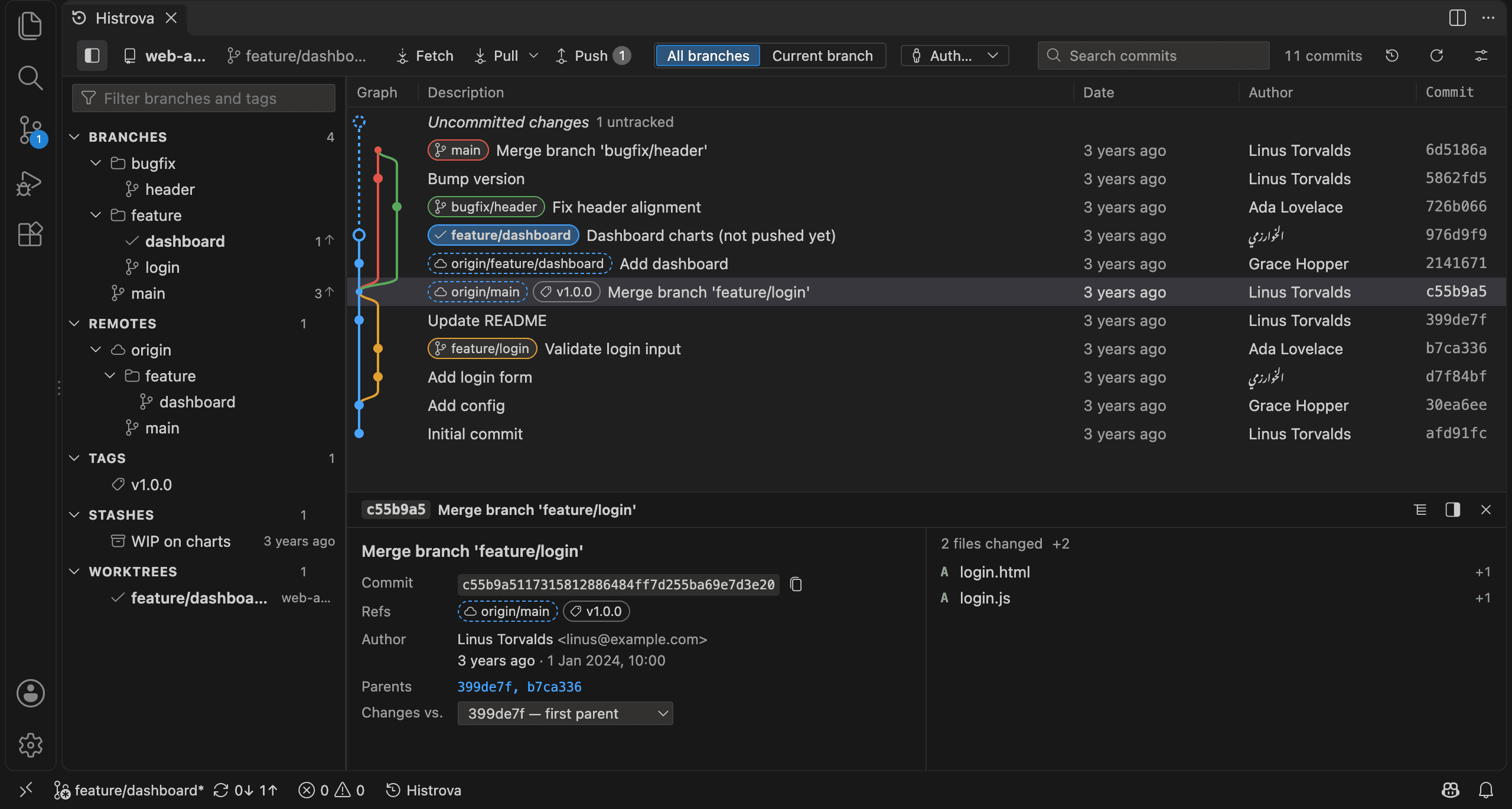
- Every branch, tag and remote on one graph, smooth with 100,000+ commits
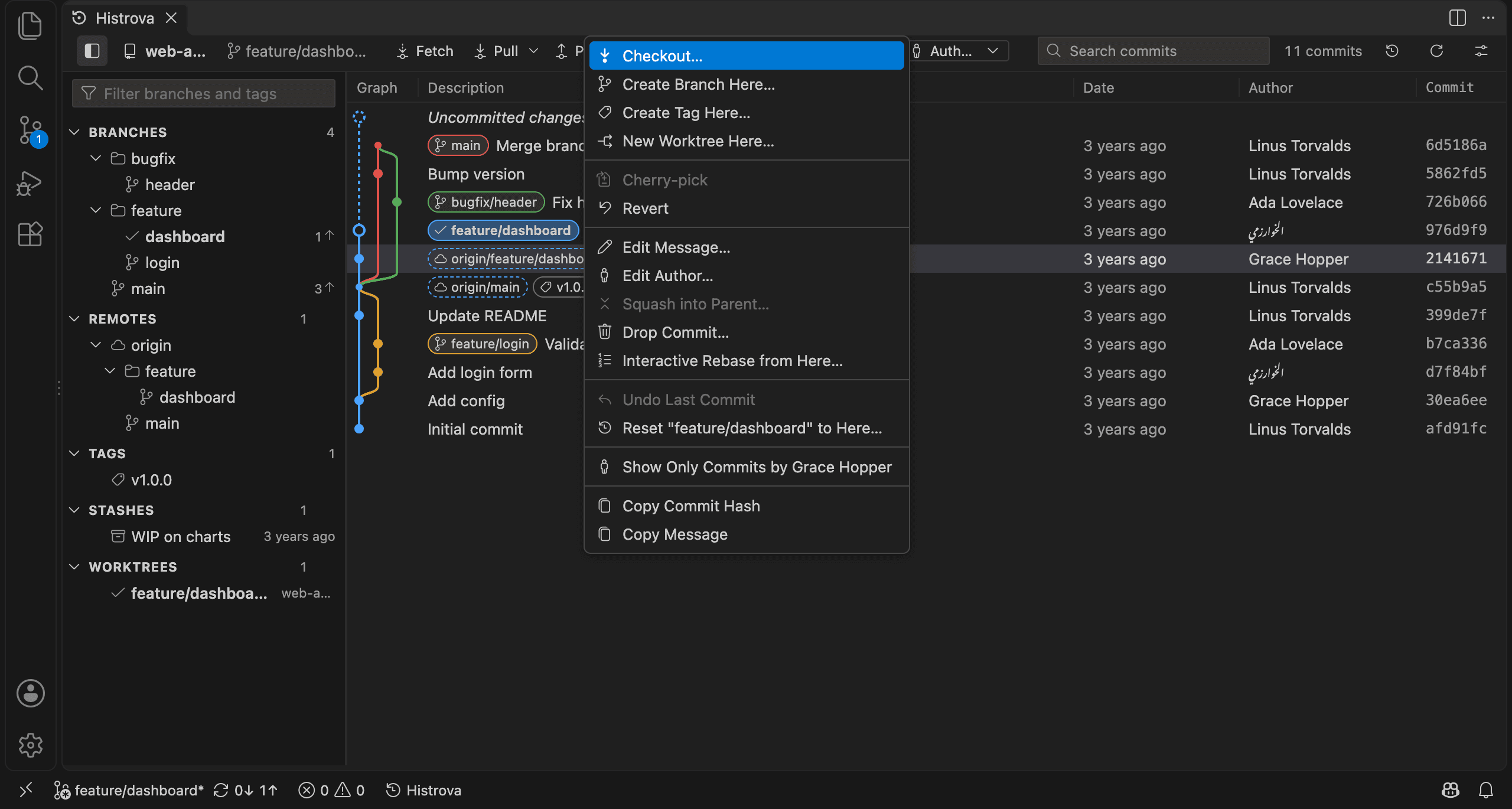
- Reword or change the author of any commit, not just the last one
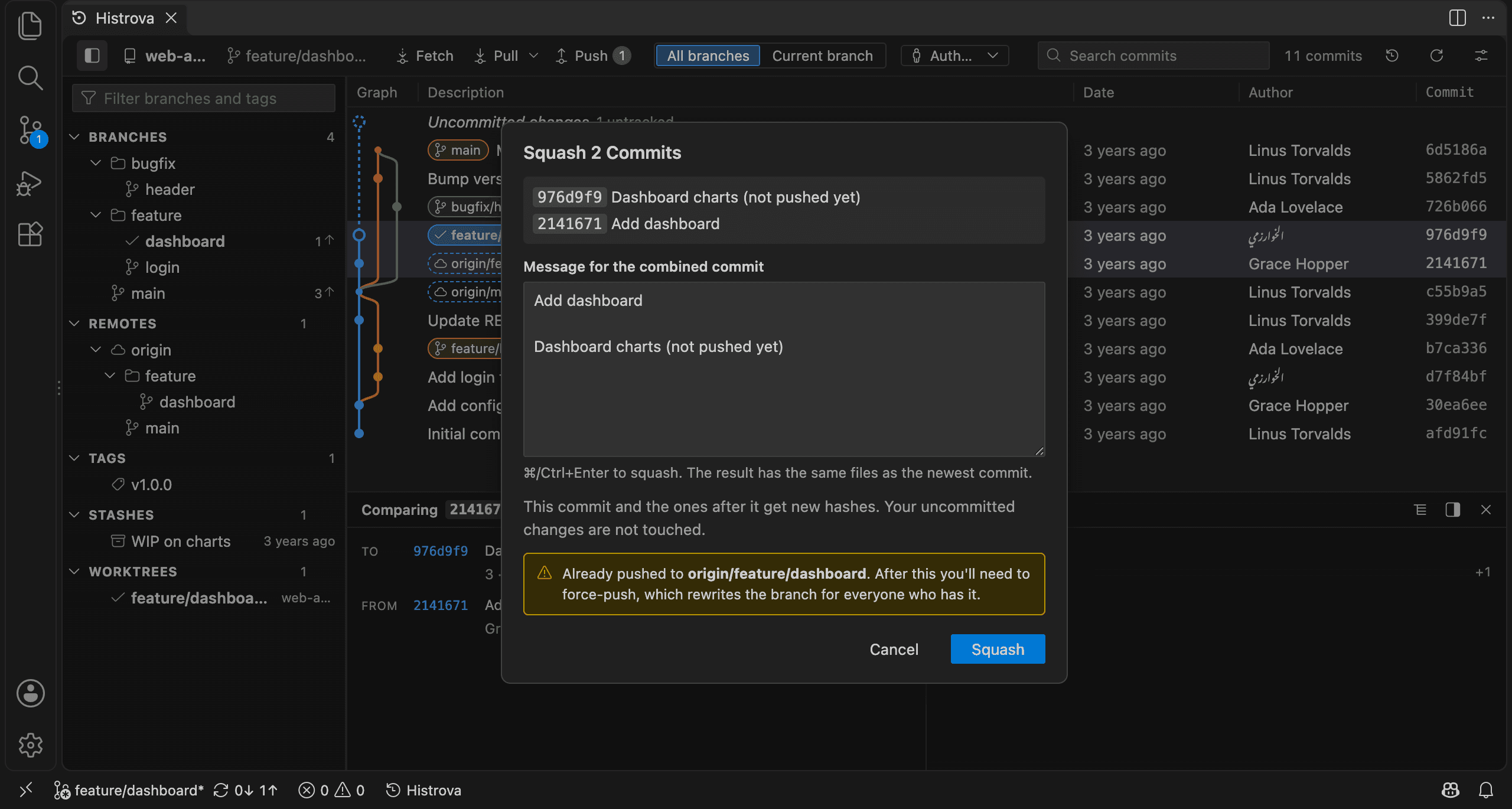
- Squash, drop, and reorder commits by dragging, with no rebase to babysit
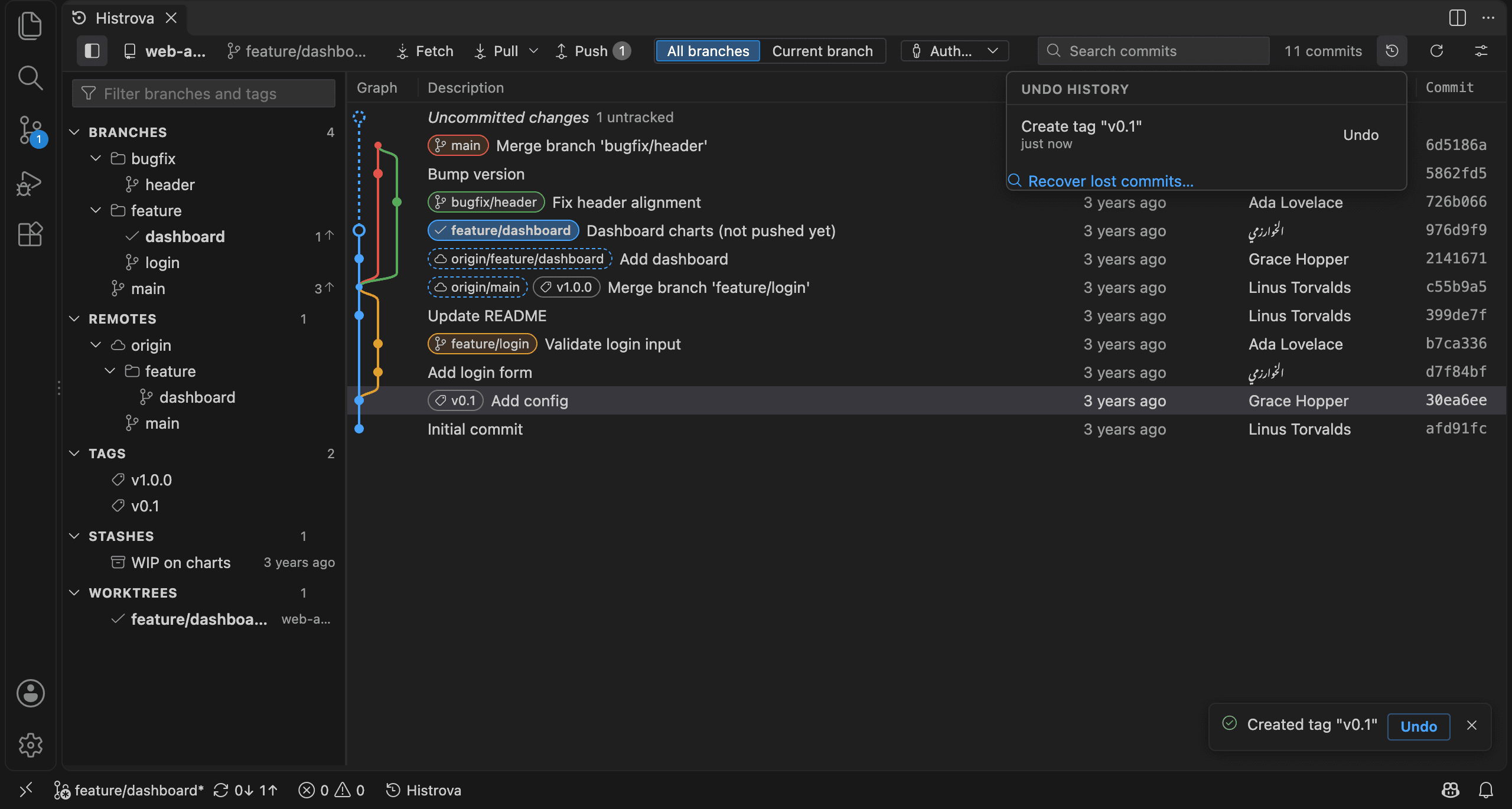
- Undo on every action, including a hard reset that discarded uncommitted work
- A three-way conflict solver: your side, theirs and the result, one click per change
- Force pushes only with a lease, after showing which commits would be replaced
- Remove a leaked file like .env from every branch and tag, and undo that too
- Stage single lines, file history, blame, stashes, submodules and worktrees
In use
What it looks like
Edit, then undo
Change a commit message from the right-click menu. If it wasn't what you meant, the Undo button puts it back.
Conflicts side by side
Your branch on the left, the incoming one on the right and the result in the middle. Arrows take a side in one click.
Screens
A closer look
Details
How it's tested
- Unit tests run the Git engine against real temporary repositories.
- Integration tests drive the extension inside a real copy of VS Code.
- A performance check measures first rows, scroll smoothness and full load on a generated repository with a very large history.
- Screenshots are captured across four VS Code themes to catch visual regressions.
- CI runs lint, tests and the build on Windows, macOS and Linux.