POS / Retail · MVP · 2026
Mehak POS
A tap-and-go counter for food businesses, branded as their own
Many fast food counters still ring up orders on punch-pad machines: one key per item, a paper receipt, and very little else. Mehak POS keeps that speed on a tablet or laptop and adds what those machines can't do: an editable menu, order history, reprints and daily sales. It started for one fast food shop and is now set up so any business can make it their own.
Background
The problem
A busy counter needs something as fast as the old keypad, but the old keypad can't change prices easily, doesn't remember orders and can't say what sold today. Cashiers also can't afford a checkout that double-charges when the network blips.
- Ringing up items has to be as fast as pressing a key
- Prices and menu items change, and old receipts must not
- A lost connection or a double tap mustn't create two orders
- Receipts have to fit 80 mm or 58 mm thermal paper
- Each business wants its own name, logo and receipt message
Solution
What we built
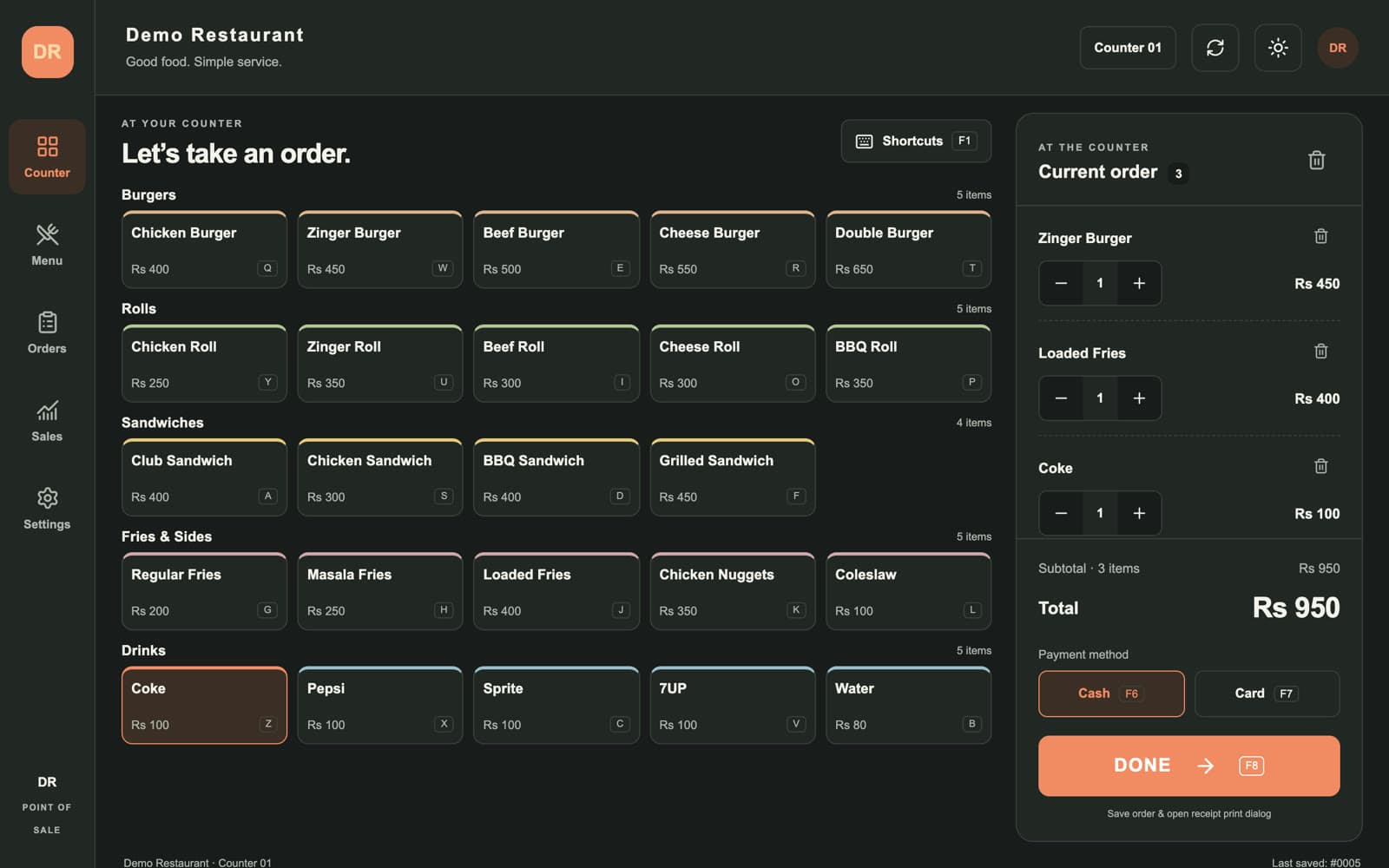
A tablet-first Next.js app with the menu laid out in category rows. Every product has a keyboard letter, so a cashier can tap or type. Totals are calculated on the server, checkout is atomic and protected against duplicate requests, and orders are stored in SQLite with a snapshot of each item's name and price.
- One tap or one key per item, with quantity controls and a persistent cart
- Shortcuts for cash, card, clear and done (F1 to F8)
- Cash and card recording, with safe retries after a lost response
- Receipts laid out for 80 mm or 58 mm paper, printed through the browser
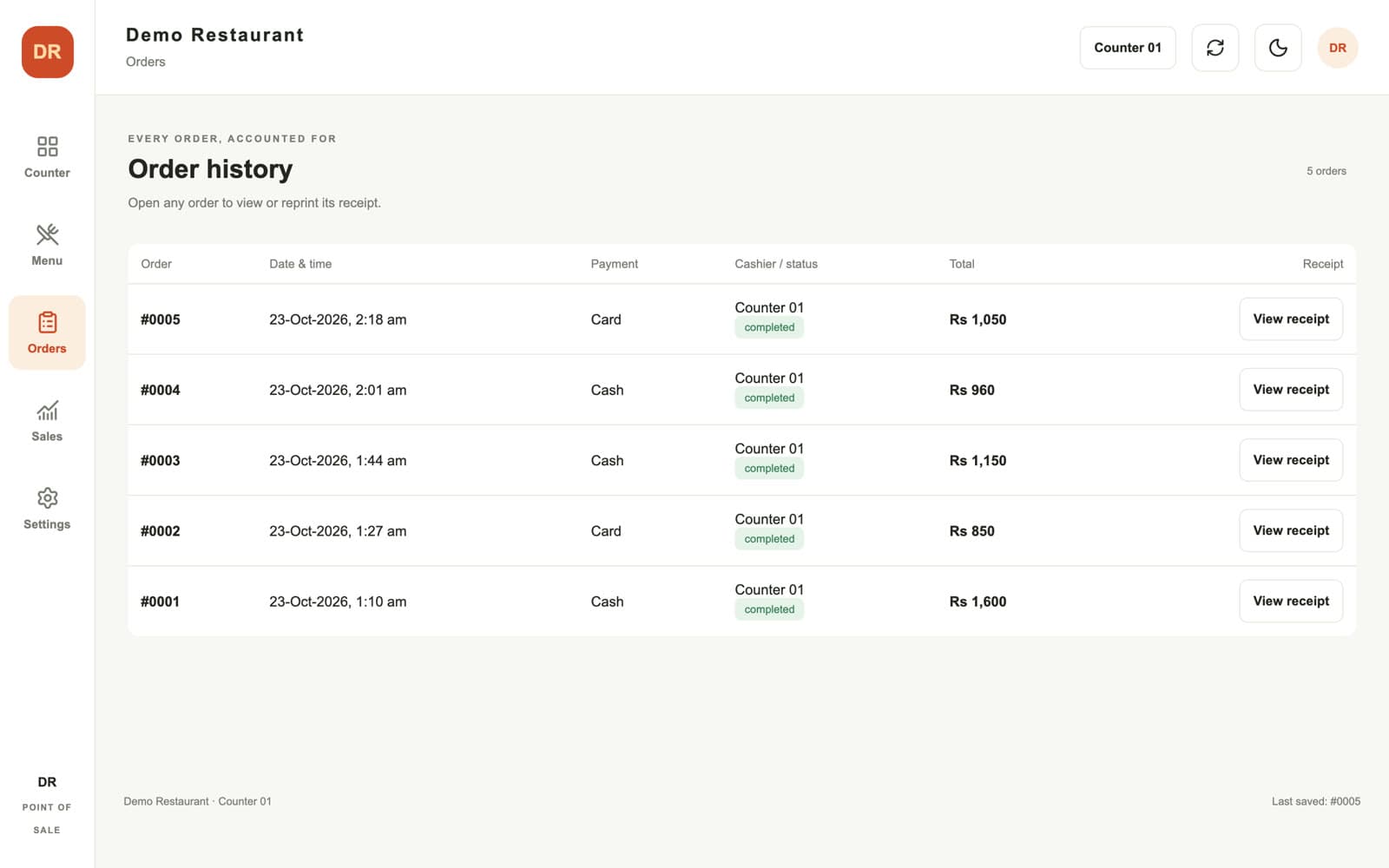
- Order history with receipt viewing and reprints
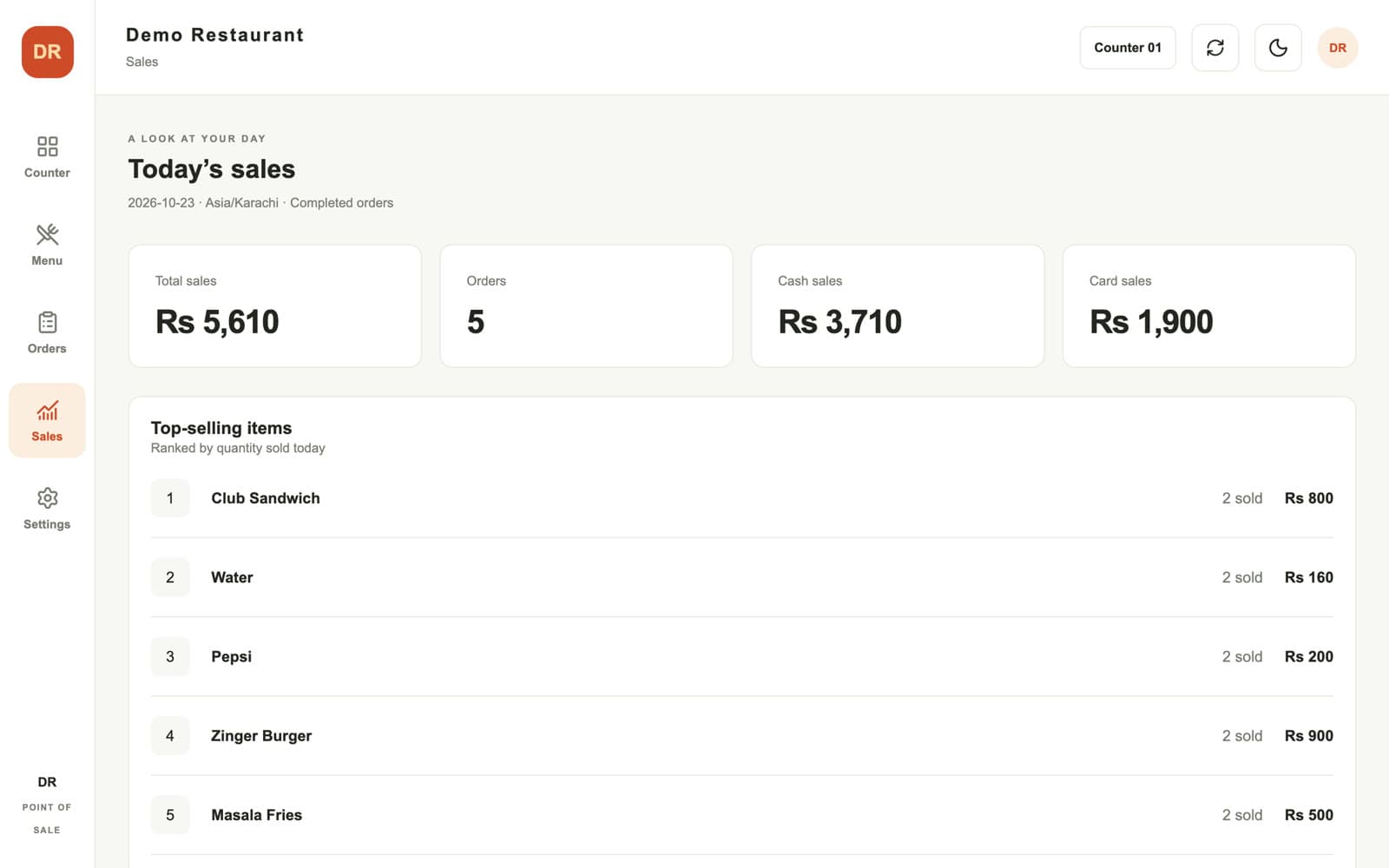
- Daily sales and top items, in Pakistan time
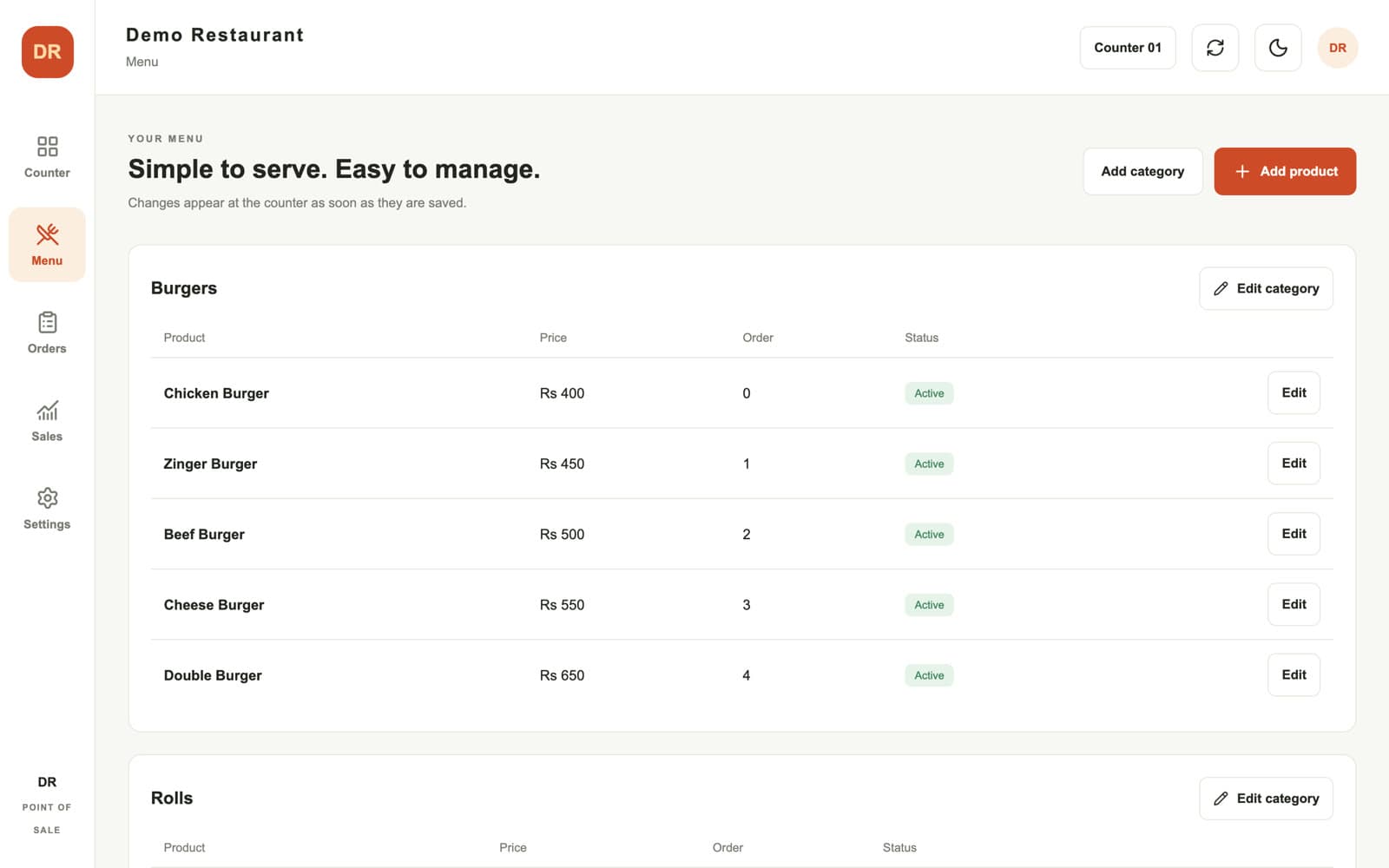
- Menu and category editing, availability and display order
- Business name, tagline, logo and receipt details, with a live preview
In use
What it looks like
Taking an order
Tap items or press their letters, pick cash or card, and press DONE. The order is saved before the receipt prints, and the counter is ready for the next customer.
Make it your own
Change the business name and tagline and watch the receipt preview update. Older orders keep the identity they were printed with.
Screens
A closer look
Details
How it's tested
- Database tests cover restarts, duplicate requests, historical prices, rejected orders and day boundaries.
- Browser tests run a real production build in Chrome: an eight-item order, reload recovery, double-click protection, receipts, history, sales and menu edits.
- It runs as one counter on a local server, and a public demo version keeps everything in the visitor's own browser.